


What Does the SharePoint Online Plugin Do?
Microsoft SharePoint is one of the cornerstones of office communication and collaboration. With tenfold, you can manage file shares and permissions in SharePoint through a central, automated platform. tenfold supports both the on-premises infrastructure of SharePoint Server and the cloud service SharePoint Online.
SharePoint Permission Reporting
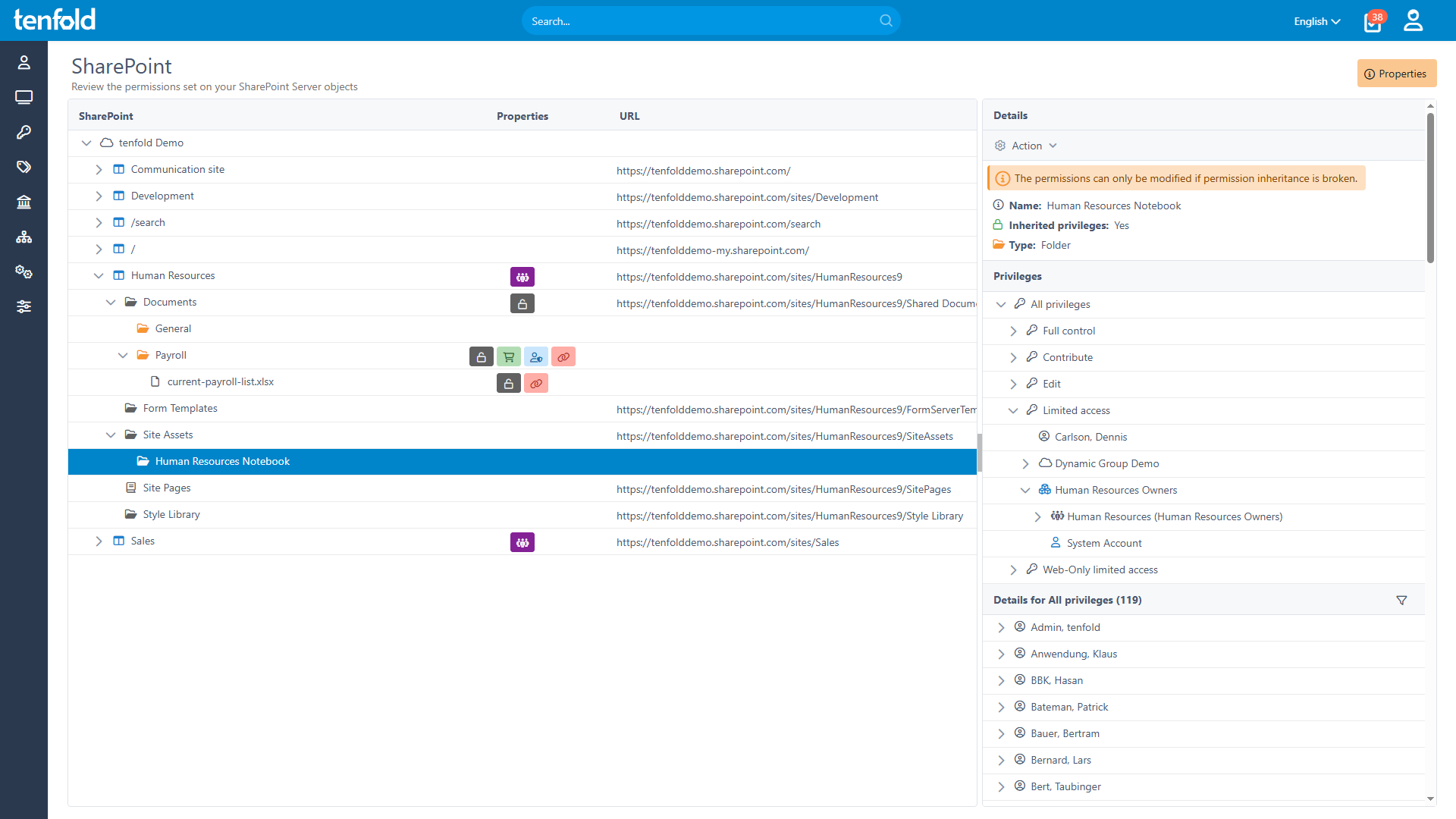
SharePoint’s built-in reporting tools make it impossible to get a clear picture of effective access on a per user and per site basis. Thanks to tenfold‘s detailed permission breakdown, you can easily keep track of who in your organization has access to which SharePoint assets.
Essentials 365 Edition
The SharePoint Server Plugin is part of tenfold’s Essentials 365 Edition.

Keep Track of Shared Files
Microsoft’s default tools make it impossible to track which files your users are sharing with others. To remedy this lack of oversight, tenfold provides a clear and central overview of all content shared through Microsoft 365.
Through a set of helpful filters, you can quickly identify documents shared either internally or externally through SharePoint as well as OneDrive and Teams. tenfold also provides access reviews for shared content. This allows you to eliminate risky and outdated cloud access by requiring users to review files they have shared.
With tenfold, you always know what your users are sharing both inside and outside of your organization. This allows you to make full use of collaboration and sharing features without risking leaks or lingering cloud access.
Features
Assign permissions to users in Active Directory & Entra ID.
Dynamically update access when roles or lifecycle phases change.
Assign, customize & delete SharePoint permissions on the basis of roles.
Breakdown & visualization of effective permissions.
All changes to permissions are fully documented.
Summary of effective SharePoint permissions.
Visualization of sites, groups & structures.
Central overview of shared files.
Create periodic or event-based access reviews for shared content.
Prompt data/site owners to review who has access.
Permissions and sharing links that do not pass the review are automatically revoked.
Protect against oversharing and lingering cloud access.
tenfold at a Glance
Complete Visibility
Gain full insight into access rights – from individual files to system-level oversight.
Centralized Governance
Govern access in Active Directory, Microsoft 365 and beyond through a single platform.
Fast Implementation
Achieve complete integration faster with our no-code platform and off-the-shelf plugins.