About Flender
Flender is one of the world’s leading manufacturers of mechanical and electrical drive systems for industrial and raw material extraction sectors such as wind energy, chemicals, construction and metals. Renowned for its precision technology and innovative strength, particularly in the manufacture of gearboxes, couplings and drive solutions, the company employs 10,000 people worldwide, with its main production site located in Bocholt, Germany. All IT users are also managed centrally from there.
Customer Opinion
“It was a huge relief for us to know that the file server solution we were already using could be easily expanded into a full-fledged IGA solution.”
Marcel Decker
IT professional at Flender GmbH
Overview
Location
Bocholt, Germany
Industry
Mechanical Engineering
No. of IT Users
7.000
License
Enterprise
Why did Flender Choose tenfold?
Round 1 – Product Demo and IT Expertise as Deciding Factors
As part of the Siemens corporation, Flender’s user management was initially included in the mother company’s own IGA software, though Flender was still responsible for managing its own file servers.
After the spin-off, however, Flender had to find a new way of managing its users and therefore set out in search of a tool that would be able to automate processes for file server management and document changes. In the course of this research, several products were examined, including tenfold. In the end, tenfold came out on top for a number of reasons.
Advantages of tenfold
Automation: tenfold automatically creates and maintains file server permission groups.
Easy conversion of permissions: Explicit rights can be converted to group memberships at a click.
Best practices: tenfold follows the AGDLP principle for a structured assignment of access rights.
Seamless documentation: tenfold logs changes meticulously, so that information on who made what changes, when, how, where, and why is available at any time.
Reporting: Changes and rights assignments made in tenfold are not only documented, but can also be summed up in reports so that it is immediately apparent who has or had access to which resources.
File server optimization & integration of existing structures: Existing file server groups, as they are often found in evolved structures, can be imported to tenfold and reorganized into an optimized structure without losing any information.
Scheduled jobs: tenfold can schedule jobs, e.g. if you permissions are to become active at a later time.
Product demo & IT expertise: During a demonstration in a secure environment, Flender was able to extensively test different scenarios and also discuss the product with tenfold IT specialists.
Our No-Code Solution Makes IAM Easy.
Start Your Free Trial Today!
Carveout & Manual Drudgery
During the carveout from Siemens in 2021, Flender moved out and migrated its domain and file servers to its new headquarters. In this transition period, however, it did not yet have a new IGA solution in place and so many of the administrative tasks had to be performed manually – which, with thousands of IT users, is an incredibly time-consuming task that is highly prone to errors.
The disadvantages of manual user management include:
Longer waiting times: Any task or issue that needs to be addressed, like new user setups, forgotten passwords or resource access, must be communicated to IT via email. With 7,000 users, that’s a bunch of tickets each day, all of which need to be prioritized and processed one at a time. This means users have to wait longer for their issues to be resolved, which in turn negatively impacts productivity.
Error-prone, repetitive work increases security risks: Manual data maintenance leads to errors such as incorrect numbers, faulty or missing data, or even wrongly assigned permissions.
Risks: ncorrectly assigned permissions can lead to data leaks and other security incidents if individuals gain access to sensitive information they should not have access to. In this context, insider threats should not be underestimated. Hackers could also exploit vulnerabilities to access critical data and use hijacked accounts to extend their permissions to deeper levels.
Moreover, there is a risk of compliance violations, as many legal regulations stipulate that permissions must be assigned in a restrictive and traceable way. Other consequences include complex, unclear structures and reduced productivity. It is therefore vital to review permissions carefully and regularly in order to minimize risks.
No transparency: The absence of centralized reporting makes it difficult to maintain an overview of current user rights. This is a significant disadvantage, particularly during audits, and can lead to compliance issues if regulatory requirements cannot be met as a result.
Difficulties with managing international users: On top of the general challenges, Flender also had to deal with the extra hassle of manually managing locations abroad. In China, for example, where Flender also has a production site, different laws apply, especially when it comes to the internet. For example, using Exchange Online and similar services isn’t allowed, which makes managing on-premises/online services tricky.
„Managing thousands of IT users scattered all over the world manually is more than a full-time job. It’s a never-ending chore that wastes valuable, highly skilled IT resources on repetitive work that could easily be automated.
Marcel Decker, IT professional at Flender
Round 2 – tenfold License Upgrade
Because Flender was already using tenfold to manage its file servers and knew that the software had much more to offer, the decision to upgrade the license and thus benefit from tenfold’s full range of features came easy.
And thus, Flender upgraded its license from tenfold Essentials Edition to Enterprise Edition in 2021 (learn more about the different tenfold editions). Today, tenfold is used for all IGA matters.
„It was a huge relief for us to know that the file server solution we were already using could be easily expanded into a full-fledged IGA solution.“
Marcel Decker, IT professional at Flender
What Is tenfold Used For?
Onboarding & Connection to HR Software Workday
The first step after the license upgrade was to automate user onboarding with tenfold. To do this, the HR software Workday was connected to tenfold (tenfold offers out-of-the-box plugins to many common systems such as Active Directory, Entra ID, and OneDrive). Now, when a new employee is created in Workday or an existing user is edited, tenfold automatically synchronizes this information and implements all associated permission changes in the affected systems. This way, new employees quickly receive the permissions they need, while at the same time users do not keep permissions they no longer need when changes are made.
Automation of Lifecycle Phases
In addition to onboarding, which represents the first phase in a user’s lifecycle, the tenfold import plugin also covers other lifecycle phases, such as parental leave, retirement, sabbaticals and leaving. If an employee enters one of these phases – e.g., parental leave – tenfold ensures that all permissions in the connected systems are revoked on time and reinstated as soon as the employee returns.
When an employee leaves the company for good, this information is also automatically sent to tenfold, and the person’s user accounts are first locked across systems and then deleted after a transition period of 30 days.
Other tenfold features used by Flender include:
Management of secondary accounts, admin accounts,and functional accounts (often used, for example, on production site PCs where several people use one and the same computer).
Self-Service: Employees can use tenfold’s self-service portal to request different types of access and permissions.
Data owners use tenfold to manage access to the resources they are responsible for.
Role feature: In tenfold, you can define roles that contain different permission sets and can be assigned to users based on their position, department, or other attributes. At Flender, for example, department heads can order onboarding packages for new employees that include a Windows account, Exchange mailbox, and other resources for the person.
Access reviews: Data owners are periodically prompted by tenfold to review and, if necessary, revoke additional permissions they have granted for their resources. Flender also uses this feature to review its functional accounts.
File server management: Even after the migration, tenfold is still used to manage file server permissions. Each folder has a data owner who is responsible for managing permissions to that folder.
Management of Active Directory groups.
Reporting: The reporting function allows data owners to take insight into who currently has access to their resources whenever they need to. It is also possible to see which resources a specific employee has access to, or which employee has a specific permission. These reports can also be exported as PDF files.
Management of Exchange permissions.
Management of Entra ID users and Microsoft 365 groups.
Future Plans With tenfold
Even though Flender makes intensive use of tenfold, there are still a number of projects waiting to be realized:
SAP integration – tenfold is currently able to read employees and permission groups in SAP, but cannot yet create users. Integrating SAP is therefore at the top of the to-do list.
Wider use of approval workflows – already used for some processes, but other more complex processes are to be governed in the future using approval workflows.
Helpdesk integration – The IT helpdesk should be given the opportunity to use tenfold even more intensively.

Improvements Through tenfold
To summarize, Flender has seen significant improvements in its day-to-day operations ever since tenfold has been introduced:
1. Optimization of user and access management
Automation: By connecting to the Workday HR system, all processes for user lifecycle phases such as onboarding, parental leave, and departures have been automated. This reduced errors and made processes run faster and more smoothly.
Role-based permissions: With the role function, specific roles can be created and automatically assigned to users, which greatly simplifies access management.
Access reviews: Periodic reviews of permissions by data owners increases security and ensures compliance.
2. Increased efficiency
Time saved: Manual processes such as user setup and the assignment of permissions are now automated, which has significantly reduced the workload on the IT department.
Fewer tickets: Drag-and-drop options for assigning permissions as well as the self-service portal reduce the need for email tickets and lessen the workload on the IT department.
Fewer errors: Automating processes has eliminated issues like transposed digits or incorrectly assigned permissions.
3. Improved transparency and compliance
Seamless documentation: tenfold logs changes in detail, which is a great advantage during audits.
Reporting: Data owners can check who has access to which resources at any time and export reports. This simplifies audits and increases security.
Access reviews: The ability to automatically verify permissions via tenfold or remove them if necessary has a positive effect on clarity and thus on the performance in audits.
4. Scalable and future-ready
SAP integration: First steps toward integrating SAP show that the system can be further expanded to automate even more processes.
Customer Satisfaction
Data owners in particular are highly satisfied with tenfold because the software has eliminated lengthy authorization processes. Previously, data owners had to contact the help desk and send a ticket for any requests or changes they desired, which took a lot of time on both ends.
With tenfold, data owners can now grant permissions very easily directly within the user interface, with no need to contact IT or create tickets.
Regular users who only use tenfold to order resources via the self-service are also satisfied with the software because it is so simple to use.
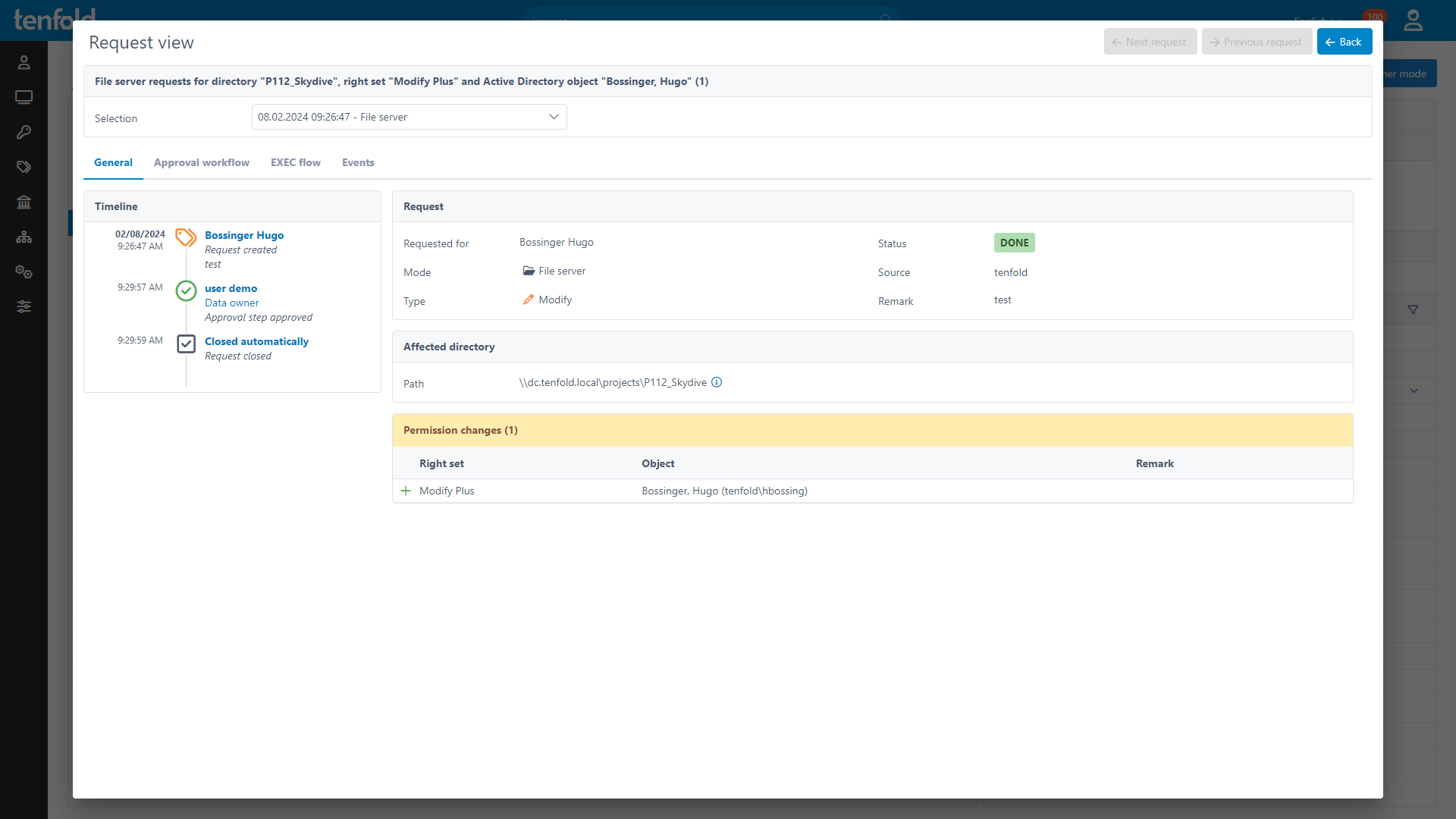
Furthermore, Flender praises the excellent cooperation with tenfold’s support team as well as tenfold partner CIO Solutions, who assisted with the setup process.
Conclusion
Thanks to automation, transparency and usability, tenfold was able to make significant improvements for Flender. The IT department’s workload was reduced, compliance issues were resolved, and user and data owner satisfaction have been increased. With the planned enhancements, the system remains ready for the future.
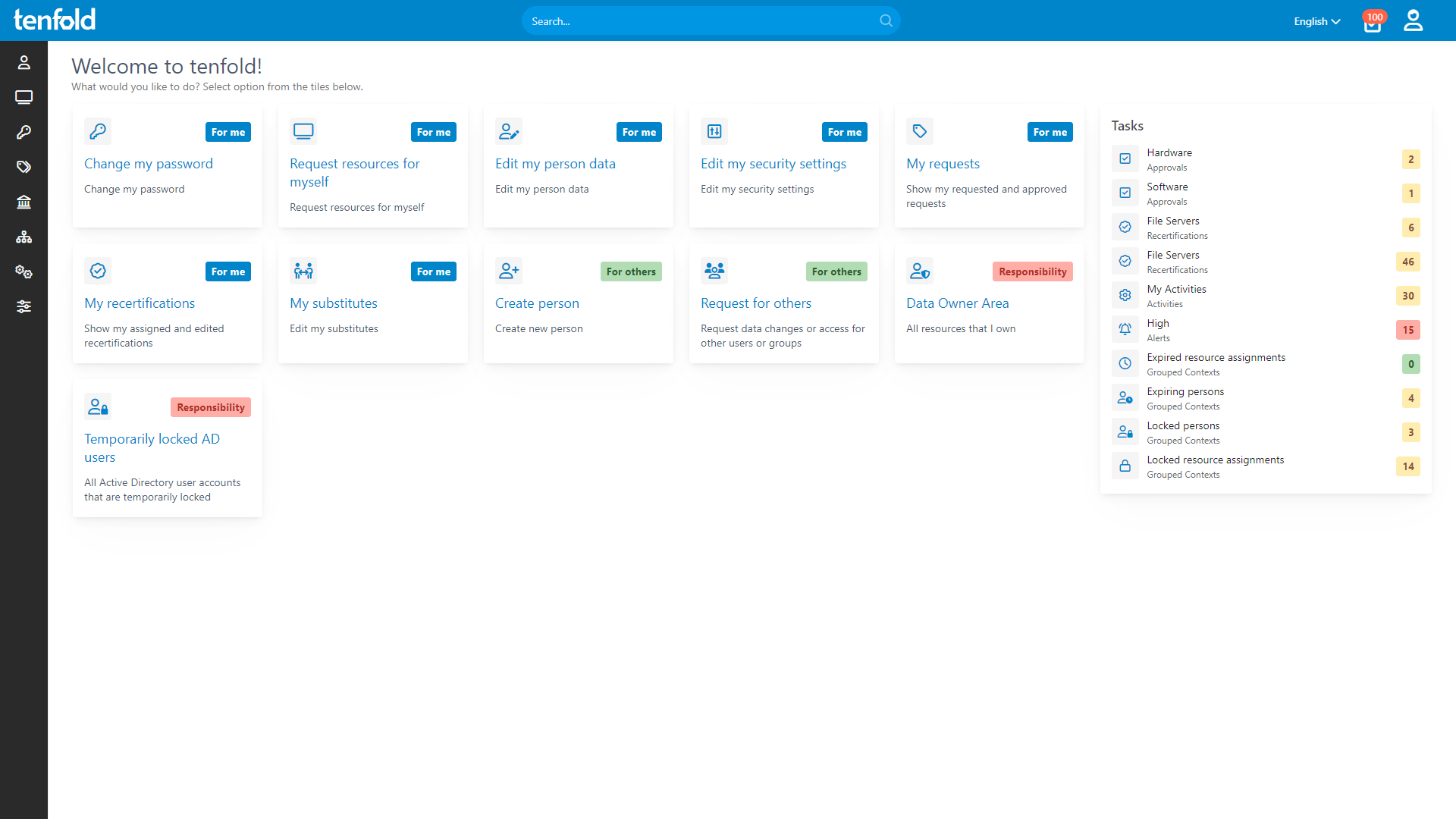
See tenfold in Action With Our Feature Video
Schedule a Live Demo With One of Our Experts
Put tenfold to the Test With Our Free Trial!